قمطر · personal library
Your whole library, and the time it takes to read it.
Qimtar shelves your paper, PDF and Kindle books the way you keep them, works out how many pages to read today to finish on your date, and stops you from buying a book you already own.
- Arabic, French, English
- Installs from the browser
- Built-in PDF reader
What Qimtar does
Eight tools for one purpose: know what you own, where it is, and where you are in it.
Real shelves
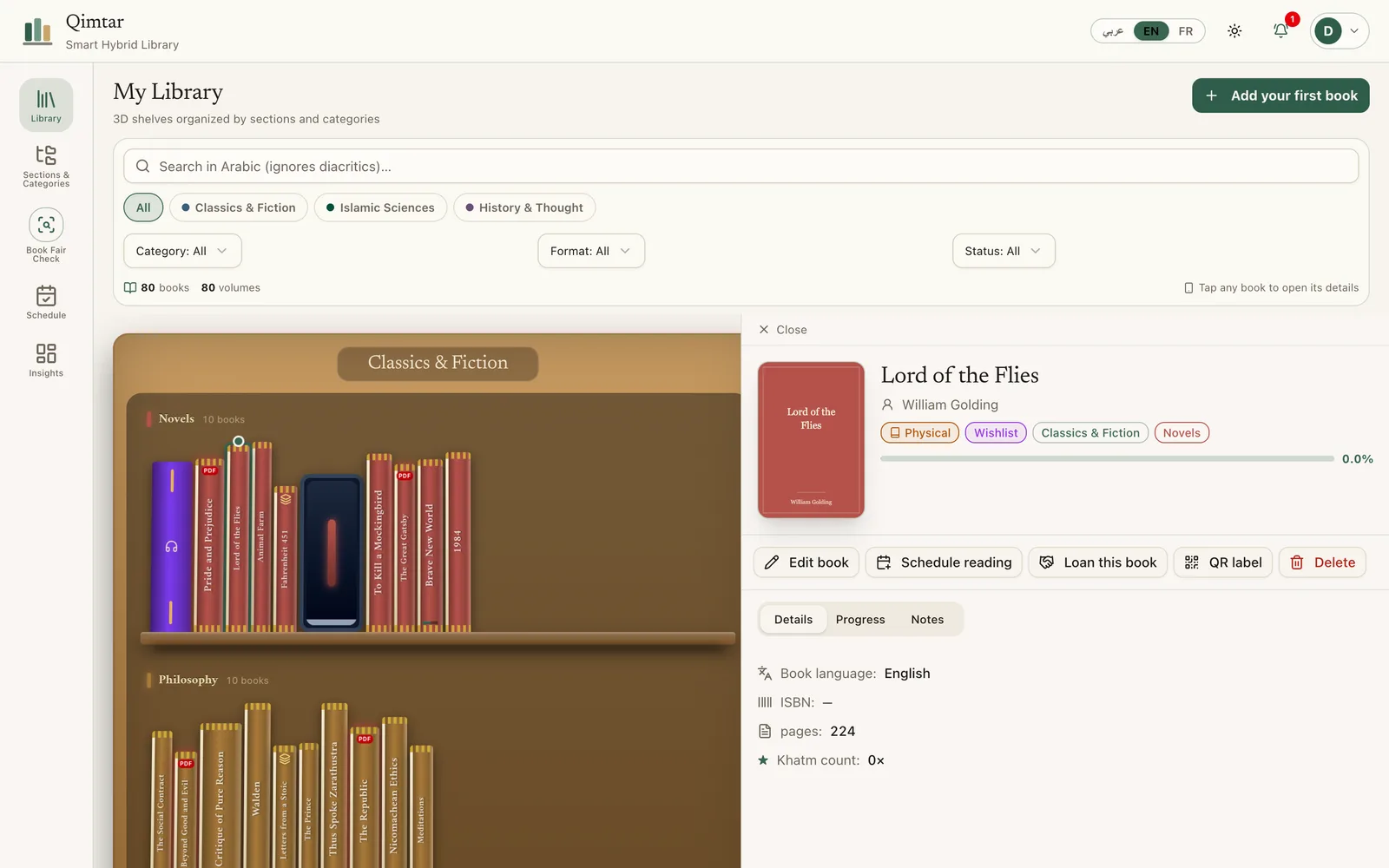
Sections and categories to sort, with a photo of the cover and the spine, so the digital shelf looks like the one in your living room.
A pace that holds
Say how many days you have to finish a book. Qimtar gives you today's pages and recalculates when you fall behind.
Fawa'id, page by page
Write what you understood, with the page number. Mark only part of today's reading as done.
PDF in the app
Attach the PDF edition of a book and read it in place, two pages at once on a wide screen. Progress follows.
Fair check
Title, author or ISBN: already owned, series incomplete with the missing volumes, or new.
Loans tracked
To whom, since when, with a WhatsApp link to remind. No more lent-and-forgotten books.
QR labels
Print sheets of labels for your spines and open a book's page with a scan.
Your data, exportable
Export the whole library as JSON or CSV, any time.
The app as it is
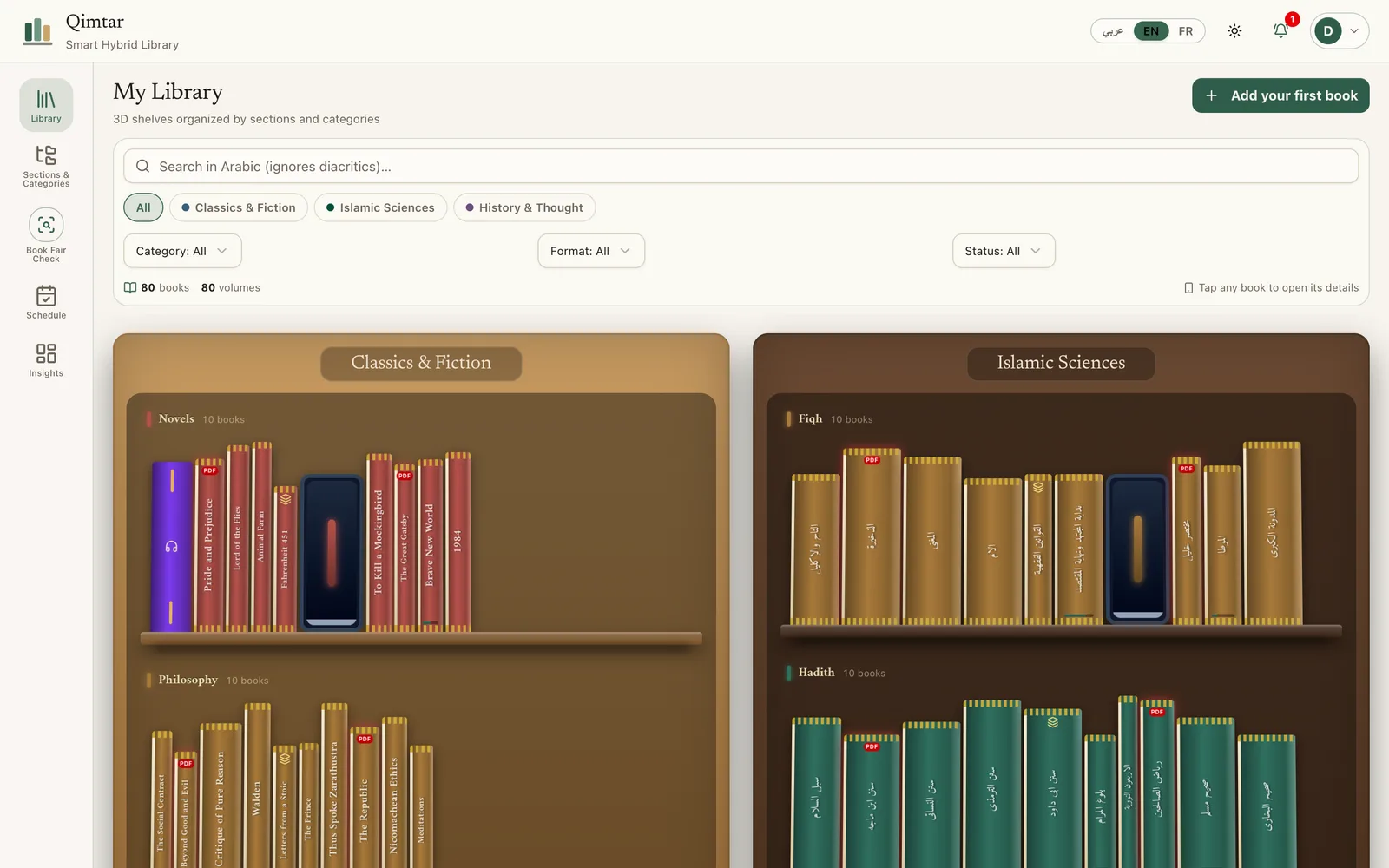
Real screenshots, with a sample library in English.
The library
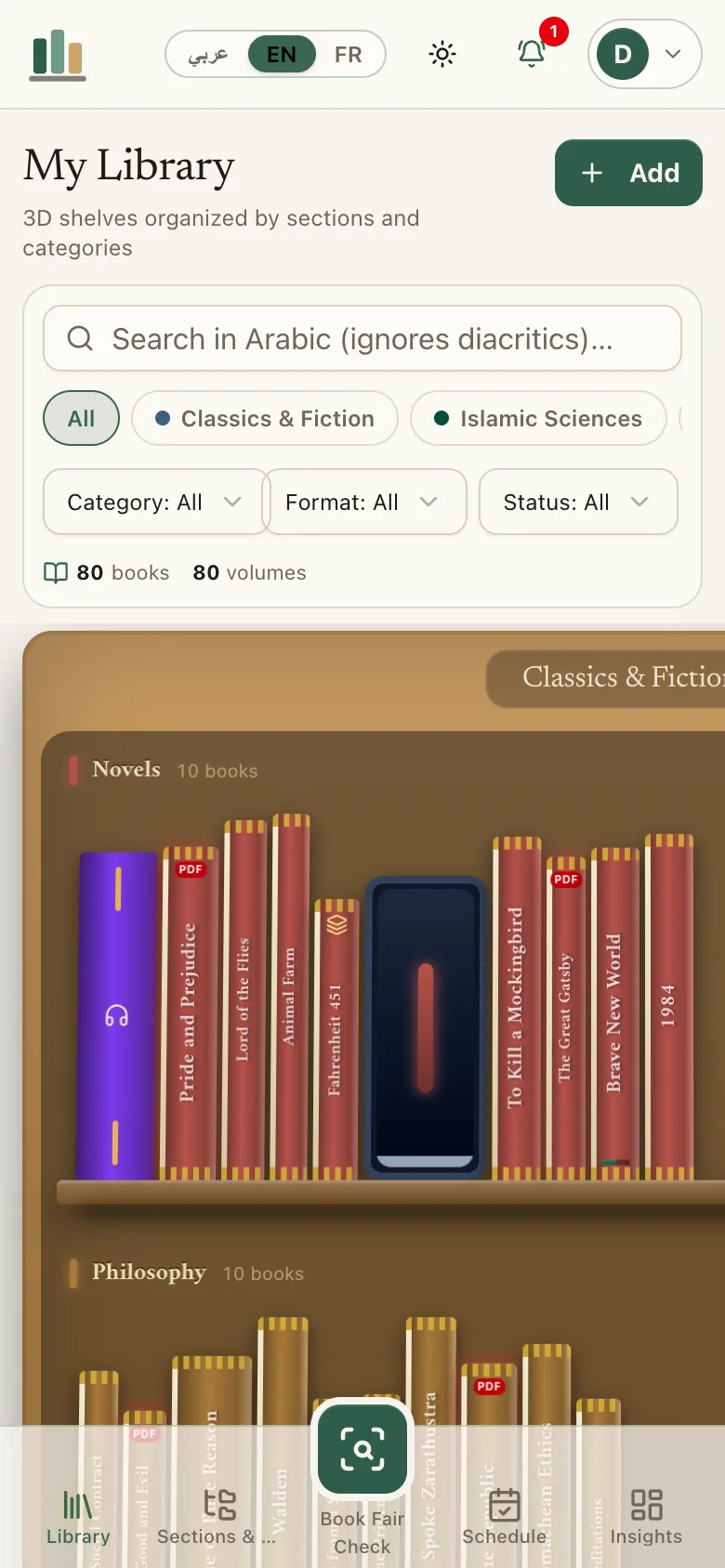
Shelves by section, search that ignores vowel marks, filters by category, format and status.
Three steps
- 01
Organize
Create your sections and categories: fiqh, finance, history, novels. Everything fits in that tree.
- 02
Add your books
Title, author, publisher, number of volumes, format, cover and spine. The form suggests a category.
- 03
Read at a pace
Set a finish date. Qimtar gives today's pages and keeps your notes tied to pages.
Made for foldable screens
On a folded phone the interface stays compact. Unfolded, the library and the book page sit side by side, and the PDF reader opens two pages like a book.
- Google Pixel Fold
- A near-square inner screen: two pages side by side.
- OnePlus Open
- The same layout, with more room for the book page.
- Galaxy Z Fold and Flip
- A compact cover screen, full layout once unfolded.
- Tabletop posture
- Device folded at 90°: the reading timer moves to the lower half.
Tested at simulated screen sizes in a browser, not yet on every device.
Your books stay yours
A library is personal. Qimtar is built to keep it that way.
- One account, one library
- Each account only sees its own books, notes and reading plans.
- Private PDFs
- Files are stored on the server and readable only by their owner.
- Protected sign-in
- Secure session cookie, rate-limited attempts, protection against requests coming from another site.
- Export any time
- JSON and CSV from the settings, no conditions.
What is Qimtar?
Qimtar is a personal library on the web. You shelve your paper, PDF, Kindle, EPUB and audio books, follow your reading page by page, and check in seconds whether a book is already at home.
What does “قمطر” mean?
In Arabic dictionaries, a qimtar is a case or chest in which books are kept. That is what the app aims to be: a place where books are stored, protected and easy to find.
Do I need to install anything?
No. Qimtar opens in your browser. On a phone you can add it to the home screen (browser menu, then “Add to home screen”) and it opens like an app from then on.
Can I read my PDFs inside Qimtar?
Yes. From a book's page you attach the PDF (9 MB maximum per file). It is stored on the server and only visible to you. The reader shows one page on a phone and two pages side by side on a wide screen or a foldable, and updates the book's progress to the page where you stop.
How does the reading plan work?
You say in how many days you want to finish a book. Qimtar divides the pages left by the days left and gives you today's number. If you miss a day, the number rises a little instead of the plan collapsing. You can mark just part of today's reading as done.
Does search understand vocalized Arabic?
Yes. Search ignores short vowels and letter variants (alif with hamza, ta marbuta, alif maqsura), so “الإحياء” and “احياء” find the same book. It searches title, author and editor (muhaqqiq).
How do I avoid buying duplicates at a book fair?
Open “Fair check” on your phone and type a title, an author or an ISBN. Qimtar answers: already owned in paper or digital, series incomplete (with the missing volumes), or new to you.
Shelve your first books
Add three books, set a finish date on one of them and look at today's number.
Open the app